What Can You Ask the All-New Mazda CX-5 Now That Gemini Is On Board?
October 29 2026,
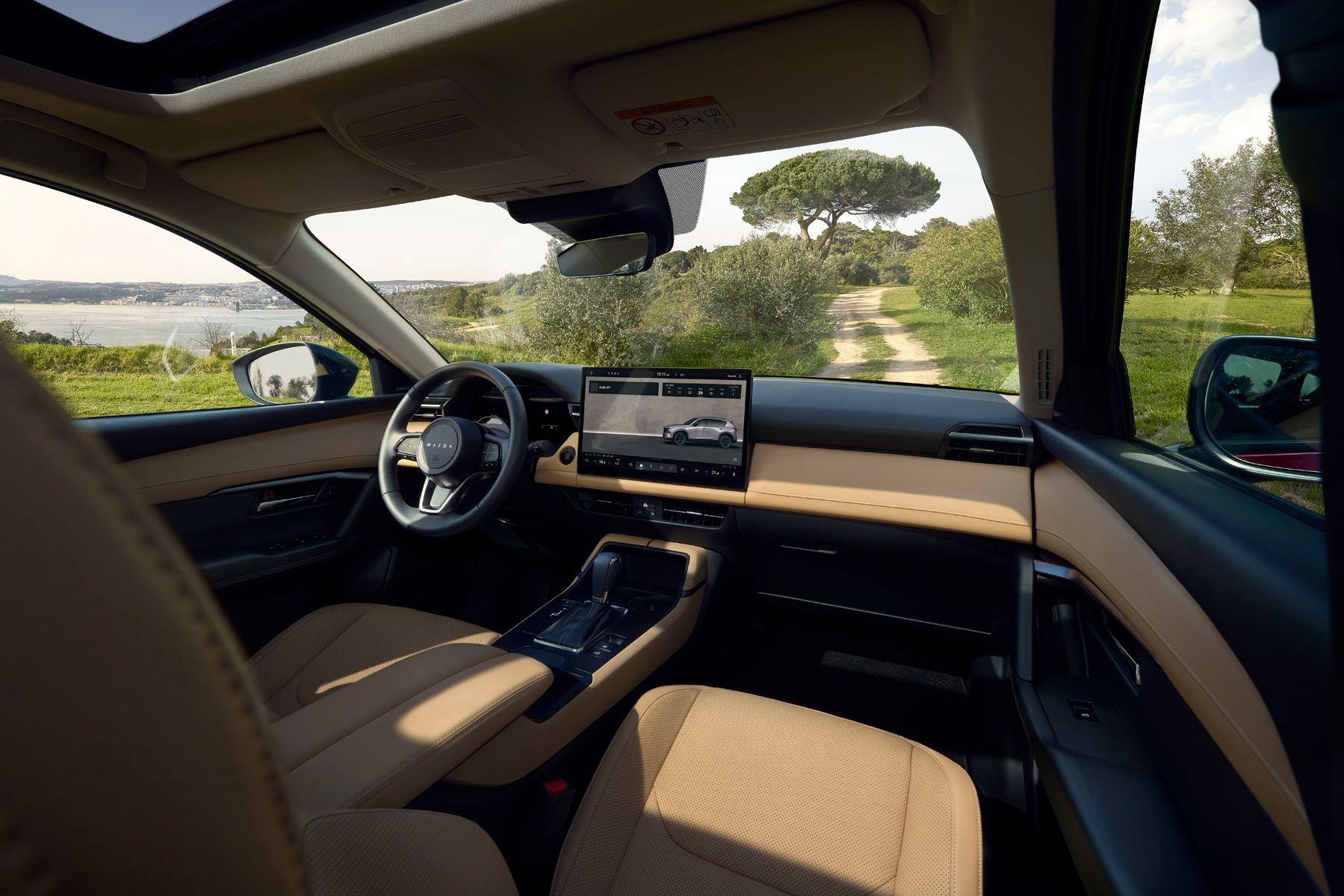
Mazda Canada announced on October 26, 2026, that Google Gemini now works in the all-new Mazda CX-5 equipped with Google built-in. Gemini is Google’s AI assistant, and in the CX-5 it lets you talk to the vehicle in everyday language.
That raises a fun question: what can you actually ask it? Below, we break down the main types of requests Mazda lists, with sample phrasings to give you a feel for each one. Think of these as starting points. With Gemini, you can word things your own way.
Ask It to Find a Place to Stop
Hungry on a long drive? Gemini can help you find destinations, restaurants and points of interest through conversational requests. The useful part is the follow-up question.
Sample requests:
- “Find a breakfast spot near my route.”
- “Which one is closest?”
- “Take me to the first one.”
Each request builds on the last. You do not need to repeat the full question every time, because Gemini keeps track of the conversation.
Ask About Traffic and Your Route

Gemini works with Google Maps, which is built into every CX-5 trim. That gives you real-time traffic updates, route guidance and personalized recommendations along your journey.
Try something like “How’s traffic on my way to work?” or “Is there a faster way to get there?” The answers show up on the centre screen, and turn-by-turn directions also appear on the 10.25-inch digital instrument cluster in front of you.
Ask for Music That Fits the Moment
Gemini handles entertainment through apps such as Spotify and YouTube Music. Mazda says it can also suggest playlists based on your mood or activity.
A request like “Play something relaxing for the drive home” or “Put on an upbeat playlist for a road trip” is the kind of everyday ask Gemini is built for. On the CX-5 GT, those playlists come through the 12-speaker Bose Premium Sound System.
Ask It to Send a Message or Share Your Arrival Time
Running late? Gemini lets you send messages, share arrival times and manage communications hands-free, using natural, conversational language.
You could say “Tell Alex I’m 10 minutes behind” or “Share my arrival time with home.” Your hands stay on the wheel, and you skip the menus.
Ask It to Change the Temperature
Gemini can adjust supported vehicle functions, including climate settings, using everyday speech. It can also answer questions about your vehicle.
A request such as “Turn the temperature up two degrees” handles the climate. For quick taps, the CX-5 also keeps climate controls docked at the bottom of the touchscreen.
Ask It to Pick Up Where Your Phone Left Off
This one is easy to overlook. Gemini lets you continue tasks, searches and conversations started on your smartphone through compatible Google services as you move from phone to vehicle.
Say you looked up a hardware store on your phone before leaving the house. Once you are in the CX-5, you can carry that search forward and ask for directions.
Before You Start Asking
A few points from Mazda’s fine print are worth knowing:
- Gemini is available to eligible users in CX-5 models equipped with Google built-in.
- Some connected apps require setup, and compatibility and availability vary.
- Users must be 18 or older.
- Mazda also lists a compatible Android phone and a compatible active data plan among the requirements.
Mazda adds that Gemini is designed to keep improving through future software updates, expanded functionality and additional language support.
Quick Reference: What to Ask Gemini

|
Type of Request |
What Gemini Does |
|
Places and food |
Finds destinations, restaurants and points of interest, with follow-ups |
|
Traffic and routes |
Uses Google Maps for real-time traffic and route guidance |
|
Music |
Plays apps such as Spotify and YouTube Music, with mood-based playlists |
|
Messages |
Sends messages and shares arrival times hands-free |
|
Climate |
Adjusts supported settings with everyday speech |
|
Phone handoff |
Continues tasks started on your phone via compatible Google services |
Try Your First Request at King Mazda
The best way to learn what to ask is to ask. Swing by King Mazda in Saint John, settle into an all-new CX-5 and try a few requests with our team beside you.